Fix: Incompatible Graphics Display Prevents Windows 10 Upgrade
Apparently, quite a few users are being prevented from upgrading their existing operating systems to Windows 10 due to incompatible graphics drivers – receiving a message similar to the following:
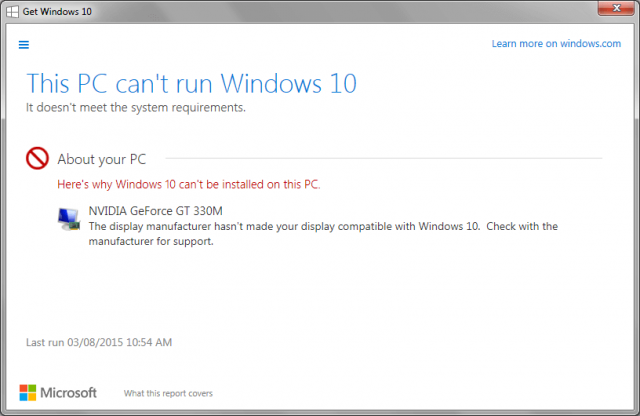
Coincidentally, I came across this issue recently when a client brought over his Windows 7 machine for me to upgrade to windows 10. This is a very basic eMachines mini tower running onboard GeForce 6150SE nForce 430 graphics. What follows is how I overcame the problem and successfully upgraded his machine to Windows 10.
*NOTE: I created a full system image beforehand and saved it to external drive. This is purely optional but a wise precaution – if anything should go wrong at least you can easily return the machine back to its original state.
Step 1: Download the Windows 10 ISO
The first obvious step is to bypass the internal upgrade system – usually delivered via Windows Update. To do this, you'll need to download an ISO image which can then be used to create installation media. To get the ISO you can either download the Windows Media Creation tool
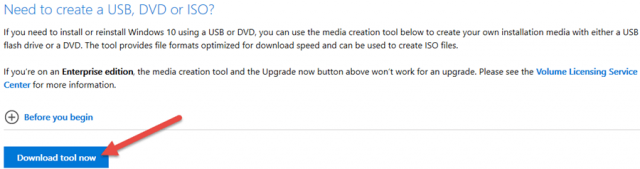
*NOTE: When you run the tool and it asks what you want to do, make sure to enable the option to Create installation media for another PC:
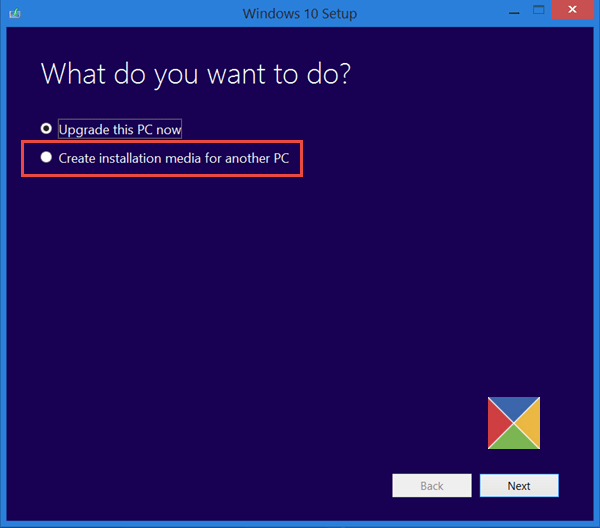
Or, download the ISO direct using the portable Windows ISO Downloader software – more information here: Easily Download Windows ISOs. Fortunately, I had already downloaded an ISO and created installation media so was all ready to go.
Step 2: Upgrade to Windows 10
You'll need to perform the upgrade from within your existing operating system. With your operating system running; load the installation media – either place the disc into your CD/DVD drive or connect the USB flash drive – and then run the setup executable. It will take quite some time for the upgrade to complete.
When the upgrade had completed on my client's eMachines everything was fine except for the display, which was just awful – fuzzy and with minimal contrast. A quick check in Device Manager revealed that, in lieu of a compatible graphics driver, Windows 10 had installed the default Microsoft Basic Display Adapter.
Step 3: Download & Install the Latest Driver
I located the latest driver which supports GeForce 6150SE nForce 430 on the manufacturer's website:
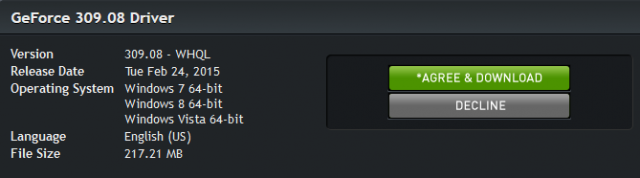
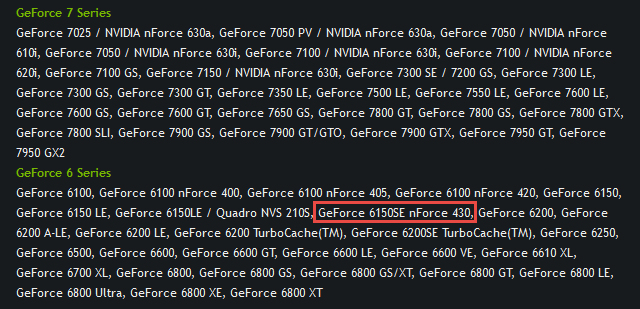
As you can see from the screenshot above – this driver was released in February 2015 and technically supports only Windows Vista, 7, and 8 – so there was an element of risk. About half way into the installation the display suddenly changed from fuzzy and indistinct to sharp and crystal clear. I left the machine running for 24 hours following installation of the new driver and no issues ensued, not even when playing around with a few games and images. Job done!!
I am by no means claiming that this will work for everyone but it certainly did for me, and, provided you create a system image beforehand, no harm can come from trying.

Source: davescomputertips.com
Images credited to davescomputertips.com and www.techaudible.org< /small>


Comments
Post a Comment